This guide explains how to compare Xfinity Internet, AT&T Fiber, Spectrum Internet, T-Mobile 5G Home Internet, Astound Broadband, and Verizon Fios so you can choose the right fit. It begins with objective background on major technologies—cable, fiber, and fixed wireless—and why plan terms (speeds, upload symmetry, data rules, and equipment fees) affect real-world performance and cost.
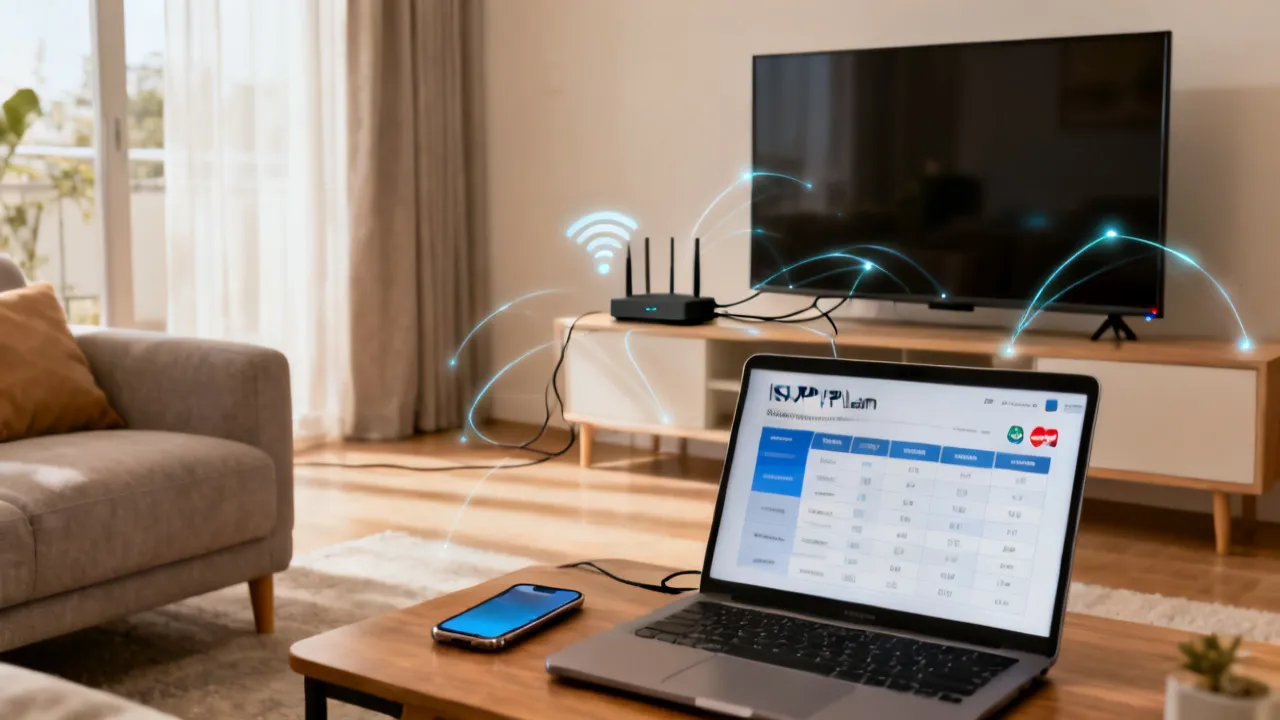
Choosing an Internet service provider (ISP) is less about the advertised headline speed and more about total value: actual performance during peak hours, upload quality for video calls and cloud backups, and all-in monthly price after equipment and price changes. In other words, the “best” plan is not simply the one with the largest number on the marketing page—it’s the one that delivers the smoothest experience across the times you actually use the Internet, with costs that remain predictable throughout the period you’re likely to keep the service.
If you’re deciding among popular options such as Xfinity Internet, AT&T Fiber, Spectrum Internet, T-Mobile 5G Home Internet, Astound Broadband, and Verizon Fios, it helps to start with the factors that most often explain the difference between “this plan is fast” and “why does it feel slow?”
Before you compare each provider’s tier, make sure you’re comparing the right things. For most households, the most decision-relevant dimensions are:
So, while it’s tempting to rank plans by Mbps, the more useful approach is to rank them by what your household actually experiences—how quickly pages load during busy evenings, whether video calls remain crisp, whether uploads finish in a reasonable time, and whether the monthly bill stays within your budget after promotions end.
With that in mind, here’s a simple technology-to-expectation guide that will help you interpret the providers mentioned in this guide:
In practice, your top choice is the plan that matches how you use the connection. Streaming and casual browsing can tolerate different technologies, but remote work, content creation, and reliable video conferencing usually benefit from fiber’s upload symmetry and consistent performance behavior. Households with multiple simultaneous users often feel the difference most strongly during peak hours, when the network is under the heaviest load.
The sections below rephrase and contextualize widely available provider offerings. Exact availability varies by address, so treat these as package examples rather than guarantees. Still, examples are useful because they show the kind of tiering and pricing structure each provider tends to use, which helps you ask better questions when you check your own address.
When you look at the table, focus on three themes:
| Provider (technology) | Typical packages & pricing examples | Notable add-ons / plan conditions |
|---|---|---|
| Xfinity Internet (cable) | Connect: $19.99/mo (up to 50 Mbps, introductory); Connect More: $39.99/mo (up to 100 Mbps) | No contracts; includes access to Xfinity Wi‑Fi hotspots; some plans may include equipment rental at $14/mo |
| AT&T Fiber (fiber) | Fiber Internet 300: $55/mo; Fiber Internet 500: $65/mo; Fiber 1 Gig: $80/mo | Symmetrical speeds; includes Wi‑Fi gateway; prices include a $10/mo autopay discount (as stated in the provided reference) |
| Spectrum Internet (cable) | Intro example: $50/mo for up to 500 Mbps; $70/mo for up to 1,000 Mbps | Unlimited data; no contracts; affordable modem included; potential price increases after the first year; optional Wi‑Fi service $5/mo |
| T-Mobile 5G Home Internet (fixed wireless 5G) | $35–$70/mo; speeds roughly 72–245 Mbps (range depends on location) | Fixed wireless 5G; often suitable for areas where fiber or cable is limited; Magenta MAX customer discounts may apply |
| Astound Broadband (cable) | Intro example: starts at $20/mo for up to 300 Mbps | Regional availability; low-cost cable internet; some plans include a two-year price guarantee |
| Verizon Fios (fiber) | 300 Mbps: $49.99/mo with autopay example; 1 Gig: $89.99/mo | Fiber connection; symmetrical speeds; Wi‑Fi router included (no extra cost per reference) |
source: www.xfinity.com (and the provider websites listed at the end of the article). Source: information was rephrased from the supplied reference materials and linked company pages.
Even with the simplified pricing examples above, there are still hidden variables. For example, your bill can differ depending on whether autopay is required, whether the included gateway meets your needs, and whether you need to pay for Wi‑Fi coverage separately. In some homes, equipment fees become the difference between two “similar” plans; in others, the better upload performance of fiber is what changes the quality of daily life.
Internet pricing varies widely across countries due to infrastructure maturity, spectrum licensing, labor costs, taxes, and competition. In this guide, the regional table is intended as a planning-oriented overview rather than a quote for any specific location. The real takeaway is that broadband can become a major monthly line item, and the cheapest headline offer is not always the cheapest long-term plan.
Use the table below as a calibration tool to set expectations before you shop. Once you compare the actual offers available at your address, you can refine your decision based on technology type, equipment fees, and whether promotions end after a short introductory term.
| Region | Estimated typical monthly price range |
|---|---|
| United States | Roughly $30 to $100+ (fiber and higher-speed tiers often land at the upper end, especially where competition is limited) |
| United Kingdom | Approximately £25 to £60+ (many offers center around 30–100 Mbps depending on neighborhood coverage) |
| Canada | About CAD 50 to CAD 100+ (available packages can range from basic broadband up to gigabit fiber in select areas) |
| New Zealand | Roughly NZD 60 to NZD 100+ (users commonly choose fiber or VDSL; 100 Mbps+ is frequently available where fiber reaches) |
| Australia | Approximately AUD 60 to AUD 110+ (fiber rollout is ongoing; common speeds tend to cluster around 50–100 Mbps) |
| Singapore | About SGD 30 to SGD 60+ (competitive fiber markets often keep prices moderate while offering high speeds) |
Expert perspective: When comparing plan prices across providers, compute your effective first-year cost, not just the “plan price.” Introductory promotions and autopay discounts may apply only for certain billing periods or eligibility conditions, while other providers may introduce year-2 increases. In other words, you should look at the full term of the offer and confirm what changes after the introductory period. Some plans look cheaper at sign-up, but become more expensive after promotions expire or if equipment fees kick in.
It also helps to consider the “cost of dissatisfaction,” which is not a direct dollar amount but a real value factor. If your household experiences frequent buffering, dropped video calls, or slow uploads, the cost shows up as wasted time, work inefficiencies, and frustration. A plan that’s a little more expensive but reliably meets your needs can be cheaper in the real sense.
Below is a practical, low-cost decision workflow you can follow whether you’re in an urban apartment or a suburban home. The goal is to minimize overspending while avoiding the more expensive mistake of choosing a connection that’s underpowered or unstable for your actual usage patterns. A cheap plan that performs poorly is often more costly—because it causes problems that you then “solve” through higher tiers, additional equipment, or service changes.
Think of this as a series of “gates.” At each gate, you decide what you can safely optimize and what you should not compromise.
If you’re unsure where you fall, consider how many devices are active at once during your busiest time. A household that streams two devices while one person attends video meetings and another downloads updates may require more sustained bandwidth than a household that streams one device occasionally.
Also, be cautious about “overbuying.” Many households purchase gigabit tiers and never come close to using them. High tiers are not harmful, but overspending is—especially when the higher tier comes with higher year-2 costs.
Before comparing prices, confirm the delivery method. Typical categories include:
An address that can get fiber may provide better value than cable tiers that appear cheaper at first glance—especially if you value consistent uploads, lower variability, and better behavior during peak congestion.
However, “fiber available” doesn’t automatically mean you should choose the highest tier. A well-chosen mid-tier fiber plan can outperform a high-tier cable plan in daily experience, depending on congestion and upload needs.
When you evaluate a plan, include these cost elements. This step is where many people unintentionally overspend:
To calculate true cost, you can do a quick worksheet:
This approach makes it easier to compare a plan that looks cheap for 12 months but becomes expensive later against a plan with less dramatic increases.
Streaming quality, game downloads, and multi-device usage can cause short bursts of demand. But your goal is not maximum speed; it’s avoiding the moments where the connection is stressed and users experience buffering, lag, or call quality drops.
If you rarely exceed basic browsing and one stream, you may not need top tiers. Conversely, if multiple people work and stream simultaneously, a mid-to-high tier can reduce buffering and network congestion symptoms. A useful rule of thumb is to choose a tier that supports your household’s busiest concurrent usage with some headroom—so temporary spikes don’t degrade experience.
It also helps to consider that not all speed tiers are equal in real experience. Some plans offer better performance because of technology and network behavior (for example, fiber’s upload symmetry). So “tier choice” is partly about Mbps and partly about architecture.
No-contract offerings can reduce the risk of being locked into a price you no longer want. In the reference materials, multiple providers highlight no-contract plans (e.g., Xfinity and Spectrum as provided). Always confirm the exact terms available to your address.
Even if you don’t anticipate switching soon, contract flexibility matters because life changes—moves, job changes, and household size changes. A no-contract plan can make it easier to adjust if your network needs evolve.
Still, be aware that “no contract” doesn’t mean “no price changes.” Promotions can end and prices can rise. The difference is that you aren’t locked into a long term with penalties if you want to leave.
Even the top ISP tier can feel slow if your internal Wi‑Fi is outdated or poorly configured. Many “Internet speed” complaints are actually Wi‑Fi coverage or device issues.
Consider these steps:
If you want maximum value, a moderate ISP tier plus a strong home Wi‑Fi setup can outperform a higher tier paired with weak in-home coverage.
Some fixed wireless plans (like 5G home) can behave differently based on signal conditions. If your provider offers an on-site evaluation or testing, use it to reduce the chance you’ll need an immediate plan change.
For wireline installs (fiber/cable), the quality of the install can affect early performance. While the physical connection usually sets the baseline for your service, issues like poor placement of the router, suboptimal modem configuration, or wiring problems can cause performance variability in the first few weeks.
A smart approach is to plan your installation date around a time you can test and verify performance—especially if you work from home. The goal is to identify issues early and use support channels while you still have the option to fix or adjust your plan.
Xfinity Internet examples in the reference include:
From an industry viewpoint, cable providers can offer excellent pricing for entry-level and mid-tier users. Xfinity’s no-contract positioning and Xfinity Wi‑Fi hotspot access can be practical for households that spend time away from home—such as students, frequent travelers, or anyone who may use public hotspots for casual browsing.
However, cable performance can vary with network load. In many regions, cable networks are shared among neighbors, and congestion during peak evening hours can reduce throughput. That doesn’t mean cable is “bad,” but it does mean the experience can be less consistent than fiber—particularly if you rely heavily on the connection for work during busy times.
Equipment considerations: Some Xfinity plan structures may include equipment rental (the reference mentions $14/month for rental on certain plans). If you already have compatible equipment, you may be able to reduce ongoing rental costs—though compatibility depends on the provider’s requirements and the plan’s equipment policy.
In a cost-focused plan comparison, equipment fees are one of the most important details. For example, if Xfinity’s introductory pricing is low but equipment rental is significant, the effective first-year cost may be higher than another provider’s higher base price but included equipment.
Who should consider Xfinity:
Who should be cautious:
In short, Xfinity can be a strong value if you choose the right tier for your usage and factor equipment fees into your real cost calculation.
AT&T Fiber plans referenced include:
What stands out for many households is the emphasis on symmetrical upload/download speeds. Upload symmetry is a meaningful differentiator for:
The reference also indicates that Wi‑Fi gateway hardware is included and that prices may include a $10/month autopay discount.
When to pick AT&T Fiber: If you host meetings frequently, work remotely, back up large files, or simply want a connection that behaves consistently across both upload and download, fiber tends to be a strong fit. In many homes, the “feeling” of speed comes more from upload reliability and reduced variability than from maximum download throughput.
Practical trade-offs:
Who should consider AT&T Fiber:
If you can get fiber and it fits your budget, AT&T Fiber often earns its keep by making your day-to-day Internet experience more stable and less dependent on “what time it is.”
Spectrum Internet examples in the reference include:
The key consumer-oriented elements highlighted are unlimited data and no contracts, plus a modem included in the referenced plan description. This combination can simplify planning because you don’t have to worry about data caps for typical household usage patterns.
From a cost-control standpoint, “no contract” can simplify budgeting, but you should still watch for potential price increases after the first year. The reference calls this out. So the right way to think about Spectrum is to treat the promotional price as the “entry,” then confirm the ongoing rate for when the promo ends.
Wi‑Fi add-on: The reference indicates optional Wi‑Fi service may cost $5/month. That detail can become important in the real world: if you plan to use the provided equipment or rely on a separate Wi‑Fi solution, the total cost changes accordingly.
Who should consider Spectrum:
Who should be cautious:
Overall, Spectrum is often a practical choice where you want to keep things straightforward: unlimited data, no contract, and tiers that cover typical streaming and multitasking needs.
T-Mobile 5G Home Internet is presented in the reference as a fixed wireless option with pricing roughly in the $35–$70 range and speeds around 72–245 Mbps (depending on location). Fixed wireless can be a strong alternative when fiber or cable options are unavailable, excessively delayed, or geographically constrained.
Fixed wireless technology can be particularly attractive for:
Trade-offs to consider: Fixed wireless performance can depend on tower capacity, distance, and local conditions. If you live in an area with stable 5G signal and consistent network capacity, the plan can be a practical value. If your signal is marginal, the experience may vary day to day.
Unlike cable or fiber, where the physical path often determines consistent behavior, fixed wireless is more sensitive to radio conditions. That means the best plan is not just “the one with the most Mbps,” but “the one with the most reliable radio path at your exact address.”
Discount eligibility: The reference mentions discounted rates for customers on T-Mobile Magenta MAX. If you already subscribe, consolidating services may reduce total telecom costs.
Who should consider T-Mobile 5G Home Internet:
Who should be cautious:
When fixed wireless is a good fit, it can feel “easy and fast to start.” When it’s a bad fit, it can feel unpredictable. So it’s wise to treat the signal quality as a key part of the purchasing decision, not an afterthought.
Astound Broadband in the reference starts at $20/month for up to 300 Mbps (introductory). Because Astound is described as regionally available, the main factor is whether service exists at your address and whether promotions are currently active.
Regional availability: This matters because a provider can look like an excellent value in one area and be irrelevant in another simply due to franchise boundaries and network coverage.
Price stability: The reference indicates some plans include a two-year price guarantee. In cost planning, a guarantee can reduce the “year-2 shock” that affects many cable promotions. If you tend to keep Internet service for a few years, a guarantee can be more valuable than a slightly lower introductory price.
Who should consider Astound:
Who should be cautious:
Astound can be a “sweet spot” provider when your address is eligible and you find an offer with predictable pricing.
Verizon Fios examples include:
The reference highlights fiber connection, symmetrical speeds, and high customer satisfaction. It also notes that a Wi‑Fi router is included at no extra cost.
Why router inclusion matters: In many ISPs, hardware inclusion is a hidden cost. If a router is included, you can reduce the chance of additional monthly equipment rental charges or the need to purchase your own router just to get decent Wi‑Fi coverage.
Who benefits very: Households that value stable uploads for work, gaming that benefits from consistent latency behavior, and anyone who wants the performance characteristics typically associated with fiber connections.
Who should consider Verizon Fios:
Who should be cautious:
Fios can be an excellent selection when available, especially for households that care about consistency and upload performance.
When you read “up to” speeds, remember that network throughput depends on more than your contract. Real-world performance is affected by network conditions, routing, device Wi‑Fi performance, home network setup, and even how your devices connect (2.4GHz vs 5GHz, and which standards your devices support).
Use this checklist to translate marketing into expectation. The aim is to predict your day-to-day experience and avoid the common mistake of buying a plan that “should be fast” but doesn’t deliver in practice.
To make this checklist actionable, you can test during your busiest hours after install. Run a few speed tests from a wired device if possible, and compare:
With cable plans, it’s especially helpful to test during peak hours because a plan that looks great at 2 p.m. might struggle at 8 p.m. Conversely, fiber often behaves more consistently throughout the day.
Different ISPs can have unique eligibility criteria, and even subtle conditions—like autopay requirements, equipment policies, or hidden surcharges—can change your effective monthly cost. The items below consolidate common conditions you should confirm with the provider or in your order flow.
| Topic | What to verify | Why it matters |
|---|---|---|
| Service availability | Your address eligibility for fiber/cable/5G home | Plans vary by geography; you may only see certain packages |
| Promotion term | How long the introductory price lasts | Some offers increase after year 1 |
| Autopay discount | Whether you must use autopay to receive pricing | Monthly cost may rise if autopay changes |
| Equipment fees | Gateway/modem/router costs and whether hardware is included | Rental fees can materially change your effective monthly cost |
| Data and policy | Whether data is unlimited and whether there are policy thresholds | Some providers position “unlimited” differently—read the policy details |
| Contract terms | Whether early termination penalties exist | No-contract plans can reduce switching risk |
| Installation and coverage | Fixed wireless signal quality or eligibility checks | 5G performance depends on local signal and tower conditions |
It’s also worth verifying whether you need to use the provider’s gateway for best performance or whether you can use your own modem/router. In some cases, using third-party equipment can improve your Wi‑Fi, but it may require compatibility checks or limited support from the ISP.
Finally, confirm how customer support works—especially for fixed wireless. If you’re relying on 5G home internet, support responsiveness can be crucial if you discover poor signal conditions during the first days after installation.
From a network engineering standpoint, fiber is often preferred for remote work because it commonly provides more consistent performance and symmetrical upload/download speeds. Cable can still work well, but shared networks may experience higher variability during peak times.
If your remote-work demands include frequent video calls, file uploads, and cloud collaboration, symmetrical upload is often what makes the difference. Even if a cable plan offers similar download speeds, an upload bottleneck can degrade call quality or slow down backup tasks.
Not always. Very households benefit from a tier that supports simultaneous streaming and video calls without saturating bandwidth. A mid-tier plan may be more cost-effective than a top tier, especially if your Wi‑Fi coverage and device capability are adequate.
It can be helpful to think in terms of concurrency rather than maximum speed. If multiple users stream and attend video calls at the same time, the plan’s ability to sustain upload performance during that period matters more than its ability to hit the highest download figure under ideal conditions.
“Up to” indicates the maximum speed under ideal conditions. Real-world throughput depends on network conditions, routing, device Wi‑Fi performance, and home network setup.
Even if you subscribe to a 500 Mbps plan, you might consistently see lower speeds on Wi‑Fi if your router placement is poor or your devices don’t negotiate the best possible Wi‑Fi standard.
It can be a good alternative where wireline service is limited. Reliability depends on local 5G coverage, signal strength, and tower capacity. If your signal conditions are strong, performance can be stable; if not, you may experience fluctuations.
For best results with fixed wireless, installation placement can be important. Some households benefit from positioning the gateway near a window or in a more open area, depending on indoor signal patterns.
Autopay discounts often apply only when you meet eligibility requirements (for example, maintaining autopay). If autopay is discontinued, your price may increase compared with the advertised rate.
So, when comparing plans, you should compare the rate you will actually pay each month. If you’re uncomfortable relying on autopay, you may prefer plans that don’t hinge on it or that show the non-autopay price clearly.
It depends on your goals and existing hardware. Renting can simplify setup and compatibility, while buying or using your own equipment can reduce monthly costs—if your provider supports it. The very important step is confirming compatibility before declining ISP hardware.
In some cases, ISP equipment includes optimized settings for the service. If you use your own router, you might need to configure it correctly, and you may still rely on the ISP gateway for line authentication. Equipment strategy should match your comfort level with networking setup.
Compare the promotional period length and read the terms for price changes after the intro term. Where offered, two-year price guarantees (as referenced for some Astound Broadband plans) can reduce unpredictability.
You can also protect yourself by calculating what you’ll pay after the promotion ends. If a plan’s year-2 price is significantly higher than another provider’s consistent rate, you might prefer the other option even if the entry price is slightly higher.
To decide among Xfinity, AT&T Fiber, Spectrum, T-Mobile 5G Home Internet, Astound Broadband, and Verizon Fios, an expert approach is to shortlist based on your address and then score the options against your household priorities. The “best” plan depends on your usage profile and how sensitive you are to variability.
Consider scoring each provider against criteria like: consistency during peak hours, upload quality, total monthly cost including equipment, and how stable the pricing is over time.
To make this framework more practical, here’s a “decision tree” style method you can follow:
Ultimately, the “top” plan is the one that delivers reliable performance for your usage patterns at a cost you can sustain beyond promotions. If you align technology choice (fiber vs cable vs fixed wireless) with your real requirements (especially upload and stability) and verify the all-in monthly cost, you’ll avoid the most common decision mistakes: paying too much, buying too little, or getting stuck with unexpected charges.
1) The above information comes from online resources, and the data is as of October 2023. 2) The specific access requirements and methods are subject to the official requirements of the Internet service provider. This website will not be updated in real time.
Reference links (and all links appearing in the article):
A Guide to Cost-Efficient Small Electric Cars for Seniors

Mastering Debt Consolidation: Boost Your Credit Score and Manage Interest Rates

Your Guide to Loans, Credit Checks, and Interest Rates

Affordable Independent Living: Finding the Right Senior Housing

Guide to Senior Living Apartments: Affordable and Comfortable Environments

Leasing a Car: Expert Tips for Your Next Vehicle

Maintaining Oral Health After Tooth Loss with Dental Implants

Maintaining Oral Health with Dental Implants for the Elderly

Understanding Supply Options for Quality Healthcare Services

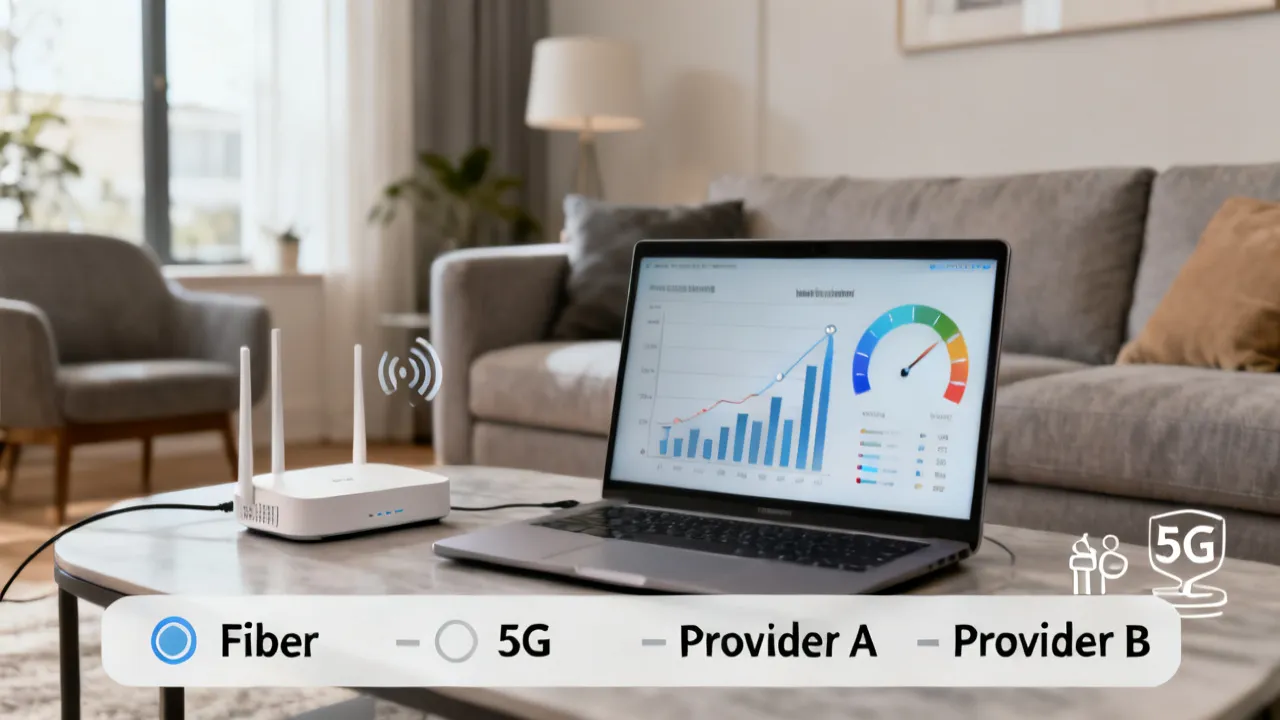
Comparing Internet Plans: Xfinity, AT&T Fiber, and More
This guide helps you choose cost-effective Internet by comparing major US providers and explaining how to reduce monthly bills without sacrificing reliability. It discusses key factors behind plan pricing—connection type, speed tiers, equipment costs, and promotional periods—along with practical steps for evaluating coverage and performance. It also includes region-wide budget ranges and FAQs.
Choosing Reliable Internet Providers in the US
This guide explains how to compare Xfinity Internet, AT&T Fiber, Spectrum Internet, T-Mobile 5G Home Internet, Astound Broadband, and Verizon Fios so you can choose the right fit. It begins with objective background on major technologies—cable, fiber, and fixed wireless—and why plan terms (speeds, upload symmetry, data rules, and equipment fees) affect real-world performance and cost.
Top Internet Providers and Low-Cost Access Guide
This guide compares major U.S. internet providers—Xfinity Internet, AT&T Fiber, Spectrum Internet, T-Mobile 5G Home Internet, Astound Broadband, and Verizon Fios—so you can evaluate plans, speeds, and add-ons. It outlines objective pricing ranges across regions, explains how to reduce monthly costs using practical steps, and highlights key selection criteria like contract terms, upload symmetry, and equipment requirements.
Arara PB: Comparing Internet Providers and Costs
This guide helps you compare Arara pb options by reviewing major US internet providers, typical price tiers, and practical ways to lower total monthly cost. It also explains, in an objective way, what users generally mean by “upload speed,” “fiber reliability,” and “fixed wireless” when choosing a broadband plan. You’ll find structured comparisons, step-by-step cost strategies, and FAQs for decision support.
Cury Rj Internet: How to Compare Top Providers
This guide explains how to compare Cury Rj Internet services by plan type, speeds, pricing, and equipment terms—then shows practical ways to lower monthly costs. It also reviews major U.S. options (Xfinity, AT&T Fiber, Spectrum, T‑Mobile 5G Home, Astound Broadband, Verizon Fios) using objective, publicly listed plan characteristics, and offers cost ranges across several countries for baseline budgeting.

Viamar Morumbi: Internet Providers and Cost Guide
This guide helps residents near Viamar Morumbi choose internet services by comparing major U.S.-style plan structures—speed tiers, monthly costs, and key extras like equipment and Wi‑Fi access. Viamar Morumbi refers to a locality commonly associated with metropolitan life, where connectivity needs are shaped by households, remote work, and streaming habits. Objectively, providers typically differentiate by network type, contract terms, and included gateway or modem options.
